Top Lords alliance calendar. Everyone on time.
Publish alliance events with sign-up slots, choose who plays, let them confirm and check in, then record attendance. Members see every time in their own time zone, get reminders on their phone and can add the calendar to the calendar app they already use.
- Sign-up slots with capacity and a waitlist
- Times in each member's own time zone
- Polls and usual availability
- A private calendar feed for phones
- 7-day Pro trial, no card
- Members and officers free
- From €14.99 / month
- Cancel anytime
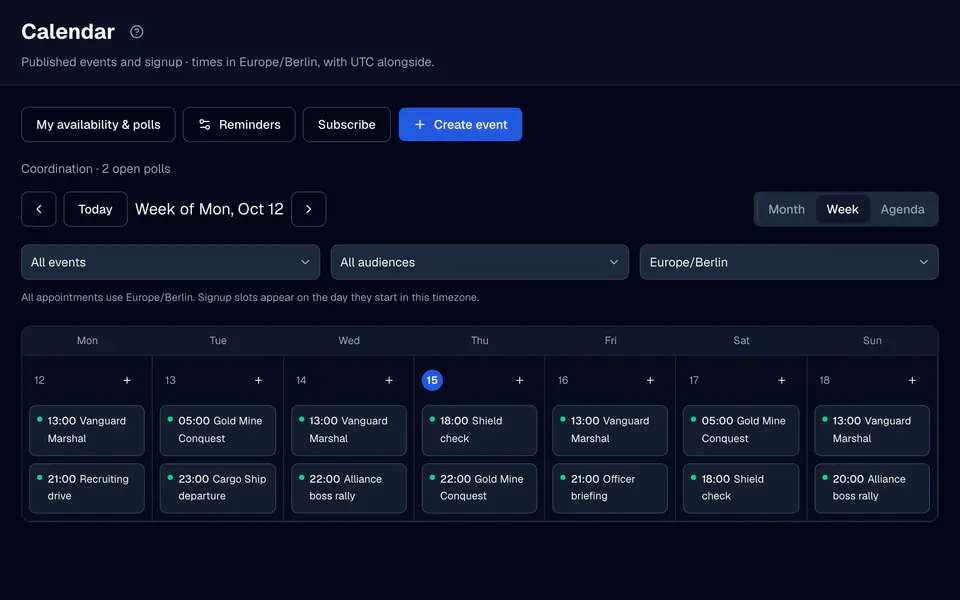
One calendar for the whole alliance.
Events and announcements
Create an event with a title, a description, a start and an end, and an audience: every verified Lord, officers only or chosen Lords. An event can also be a plain announcement without slots.
Sign-up slots
Add slots with their own names, times and capacity, from 1 to 500 places, with an optional waitlist. When a place frees up, the eligible Lord who waited longest moves up.
Selection and check-in
Officers select booked Lords, and each one confirms or declines. Check-in opens a set time before the slot, 30 minutes by default, and closes when it ends.
Repeating events
Repeat an event daily or weekly on chosen weekdays, for up to a year. Edit one occurrence, this one and the following ones, or all future events, and skip one without losing its history.
Linked items
Link an event to a battle, a custom event run or an Alliance Trade day. A Trade link shows that day's Captain and escorts on the event itself.
Attendance
When the event is over, officers record attended, no-show or excused. Nothing is assumed from sign-ups or from time passing, and attendance can be copied to a linked battle.
Publish, then let people answer.
Draft the event
Enter the times in UTC or in your own time zone, choose the audience and add slots if you need them. Drafts stay with the officers.
Publish
Publishing sends one notice to everyone in the audience, in the app and as a push message for members who turned calendar push on.
Select and confirm
Members sign up for slots. Officers choose who plays, and each selected Lord confirms or declines their place.
Finalize
After the last slot ends, record attendance. Battle records and reliability can build on it.
Find a time before you set one.
Coordination sits next to the calendar: ask the alliance a question, or check who is usually online, before you publish the event.
- PollsAsk with 2 to 12 options for all members, officers or chosen Lords, with a deadline up to 30 days ahead. Each member has one vote and can change it until the poll closes.
- Usual availabilityMembers save the weekday hours when they can usually play. An officer previews a proposed time and sees who is available, partly available, unavailable or unknown.
- One nudgeNudge unanswered members sends at most one notice per member per poll, and only to members who have not voted.
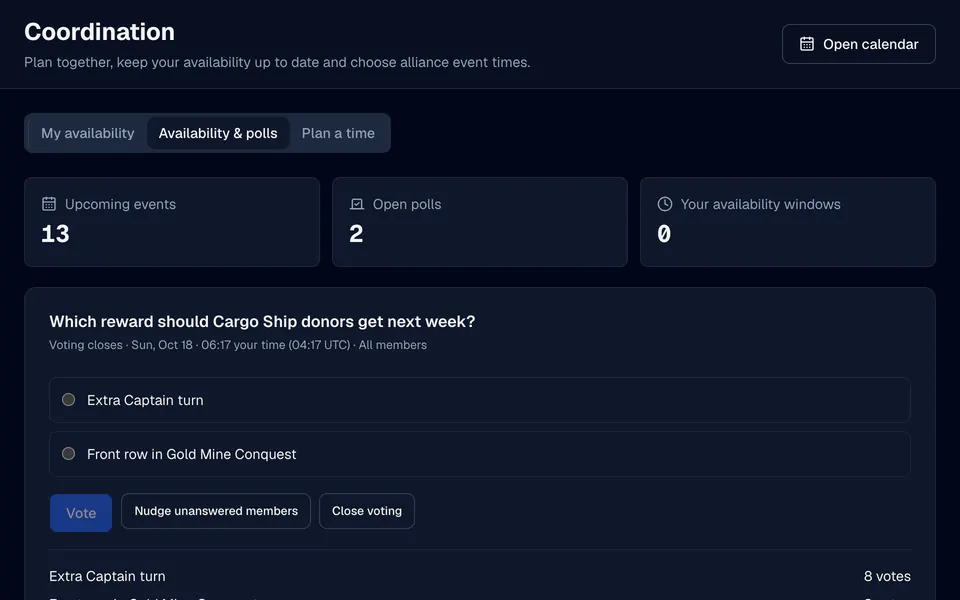
Times that make sense in every time zone.
Local time first
Every time shows in the member's own time zone with UTC beside it, for example 20:00 your time (18:00 UTC). Phones get an agenda list; wider screens get a month grid that starts on Monday.
A feed for your phone
Subscribe creates a private iCal link for calendar apps such as Google Calendar or Apple Calendar. It lists the events you can see and your own sign-up state, and you can revoke it at any time.
A daily digest
Members can get one summary a day, such as Today: Gold Mine Conquest 20:00, Alliance Trade Captain, in the app or as a push message, in the time zone they choose.
Everything on My Lord
Members find their upcoming events, open polls and usual availability on My Lord, next to their battles and Cargo Ship days.
Questions, answered.
Can members sign up for alliance events in LordTracker?
Does the calendar send reminders?
Can I add the alliance calendar to my phone?
Can events repeat every week?
Which time zone does the calendar use?
More from LordTracker.
Public Top Lords rankings
Explore tracked kingdoms
Recently updated alliance and Lord rankings from official captures.
Put your alliance on one calendar. Your kingdom, in sync.
Start the 7-day Pro trial, pick your alliance and publish your first event. Members and officers are unlimited and free on every plan.